Want to know how to register a domain name? Start by choosing a name, checking whether it is available, and buying it through an accredited domain registrar. You can usually finish the registration process in minutes. Before paying, however, you should understand renewal costs, domain privacy, and how your domain connects to a website.
This beginner-friendly guide walks through every step, including common mistakes to avoid and what to do immediately after purchase.
What is a domain name?

A domain name is the human-friendly address people enter to reach a website, such as example.com. It points visitors toward the online services associated with that name. Registering a domain does not automatically create a website, email inbox, or online store; those usually require separate services.
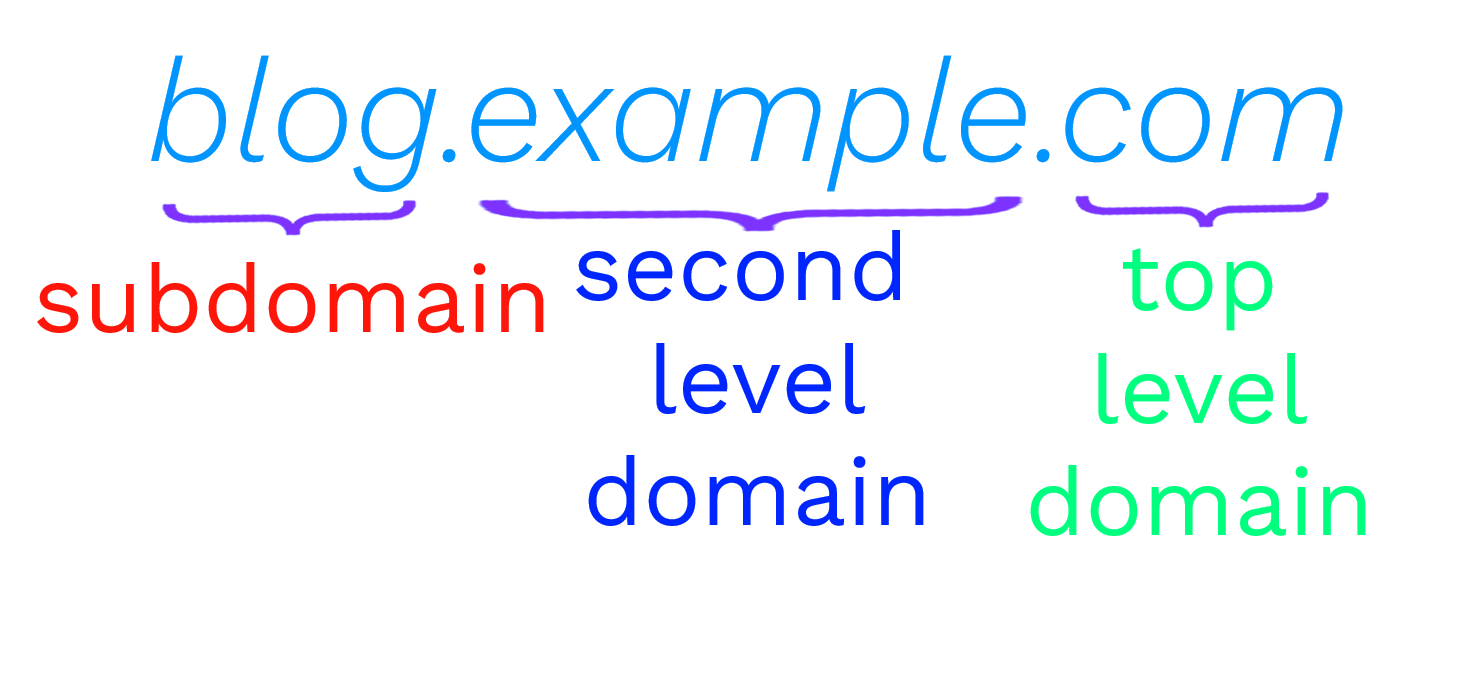
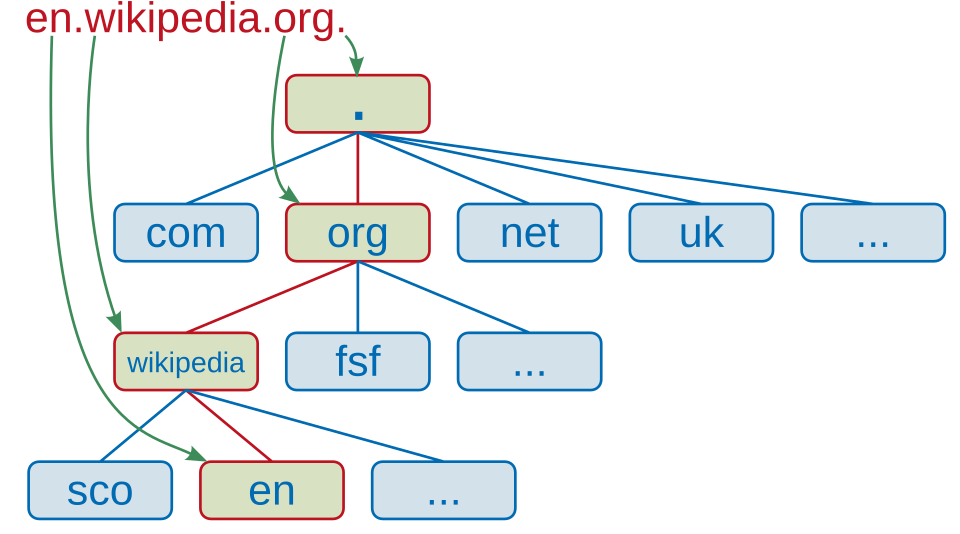
A domain has two main parts: the label (such as “example”) and its extension, also called a top-level domain (such as .com, .org, or .net). The extension you choose may affect cost and eligibility rules.
Step 1: Choose a name before you register a domain
Choose a name that people can spell after hearing it once. Keep it reasonably short, avoid confusing hyphens or numbers, and think about how the name will look on a business card or social profile. If you are building a brand, check that the name also works for your future products and services.
Need inspiration? Read our guide to finding business names and explore how to name a creative business.
Step 2: Check availability before you register a domain name
Search your preferred name through a domain registrar. If the exact .com is taken, try a clearer phrase or an appropriate alternate extension instead of awkward spelling. Check relevant social handles and existing business identities, too. You can start with NameCheckerAI to explore name consistency across platforms, then confirm actual domain availability directly with your chosen registrar.
Do not assume a search result guarantees that the name is available at checkout. Availability can change, and some domains are listed as premium names at higher prices.
Step 3: Compare trusted domain registrars
A domain registrar is the company through which you register your domain. Compare the first-year price and the normal renewal price. Also check whether privacy protection, DNS controls, domain locking, two-factor authentication, support, and transfers are included. Some low introductory prices rise sharply at renewal.
Use the ICANN accredited registrar directory to understand which companies are accredited. Registration policies and pricing vary by provider and extension, so read the terms before purchasing.
Step 4: Register a domain name and choose your term
Once your name is available, add it to the registrar’s cart. Review the exact spelling and top-level domain. Select a registration period, often one or more years depending on the extension. A longer prepaid term may reduce your need to renew immediately, but it does not mean you own the domain forever.
Check the cart for optional items such as hosting, business email, site builders, and security add-ons. Only pay for services you actually need.
Step 5: Enter accurate registrant details and pay
Provide the contact information the registrar requests, review the domain registration agreement, and complete checkout. Use an email address you regularly check because your registrar may send verification and renewal notices there. Some registrations require you to verify your contact email within a defined window. Follow the actual notice from your registrar promptly.
Where available, enable registration data privacy or redaction. Privacy services can reduce public exposure of your details, but they do not eliminate the registrar’s need for accurate records.
Step 6: Secure your domain and connect your website
Turn on two-factor authentication for your registrar account and enable domain or transfer lock if available. Keep account recovery information current and turn on auto-renew if you want to keep the name without remembering each annual deadline.
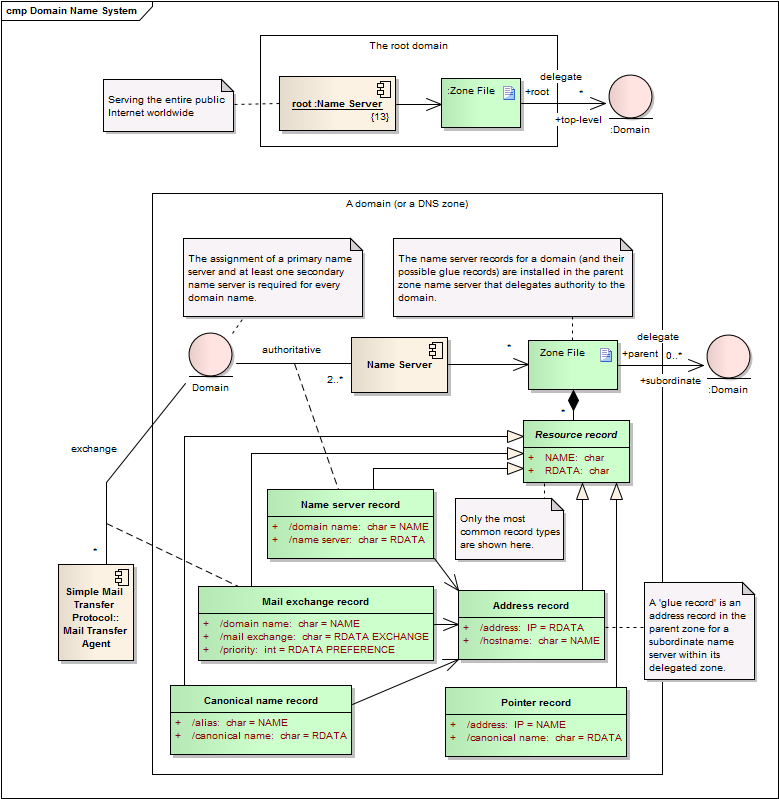
To launch a website, connect the domain to your hosting or website builder. Your provider will supply either nameservers or DNS records. Common records include A or AAAA records for web servers, CNAME records for aliases, and MX records for email. Follow your hosting provider’s instructions rather than copying random DNS values.
DNS changes can take time to appear across the internet. You may also need to enable HTTPS through your hosting platform. ICANN’s domain registration resources provide additional background.
How much does it cost to register a domain name?
The price depends on the extension, registrar, promotions, and whether the domain is considered premium. Most standard domains have a yearly registration charge. Premium or aftermarket domains can cost much more, and renewal prices may differ from the promotional checkout price. Compare the total cost over several years rather than choosing on the first-year price alone.
Also account for optional website hosting, email, and privacy or security extras. Your domain purchase alone does not pay for all of these services.
Can you register a domain forever?
No. A registration gives you the right to use a domain for a defined term under the registry and registrar rules. You generally renew it to keep using it. The exact maximum term and renewal conditions depend on the extension. Keep payment details current, monitor expiration notices, and know the registrar’s expiry and recovery policies.
Should you register a .com or another extension?
A .com is familiar to many customers, but it is not always the best or most affordable choice. A .org can suit an organization, while country-specific extensions may help communicate your market. Some extensions have additional registration restrictions. Choose an extension that fits your audience, and check the actual eligibility rules and renewal price before purchase.
Avoid these common domain registration mistakes
- Ignoring renewal prices: compare the regular renewal cost, not just the sale price.
- Skipping brand checks: a domain being available does not prove that using the name is legally safe. Read our trademark naming guide and consult the USPTO trademark search when relevant.
- Forgetting security: protect your account with a strong password, 2FA, and domain lock.
- Using an inaccessible email: renewal and verification messages can be essential.
- Buying unnecessary upgrades: review every add-on before checkout.
- Assuming registration includes hosting: plan separately for your website and email.
Domain registration checklist
- Choose two or three brand-friendly names.
- Check domain availability and related social handles.
- Review trademark and brand conflicts.
- Compare registrar support, renewal pricing, and policies.
- Register with correct contact information.
- Verify any required email and store your receipt.
- Enable 2FA, domain lock, and renewal reminders.
- Connect your domain to your website and test HTTPS.
Frequently asked questions about domain registration
How long does domain registration take?
Checkout commonly takes only a few minutes, but verification and DNS changes may take longer.
Do I need a website before I buy a domain?
No. You can register the name first, then connect it to hosting or a site builder when you are ready.
Can I transfer my domain to another registrar?
Usually yes, subject to extension rules and transfer restrictions. Some newly registered or recently transferred domains face a 60-day transfer restriction. Confirm the exact policy with your registrar and the relevant registry.
What if my ideal domain is taken?
Try a clear variation, a different appropriate extension, or check whether the current registrant offers it for sale. Never assume a name is safe to use solely because a variation is available.
Does buying a domain give me trademark rights?
No. Domain registration and trademark protection are separate. Research existing trademarks and seek qualified legal advice when the business name carries meaningful risk.
Final thoughts
Learning how to register a domain name is an important first step toward building a professional online presence. Choose a clear name, verify availability, compare long-term costs, and secure the registration right away. When you are ready to create a strong brand around it, explore our brand naming ideas and the tools at NameCheckerAI.


